










Shop by category
Robot Vacuums
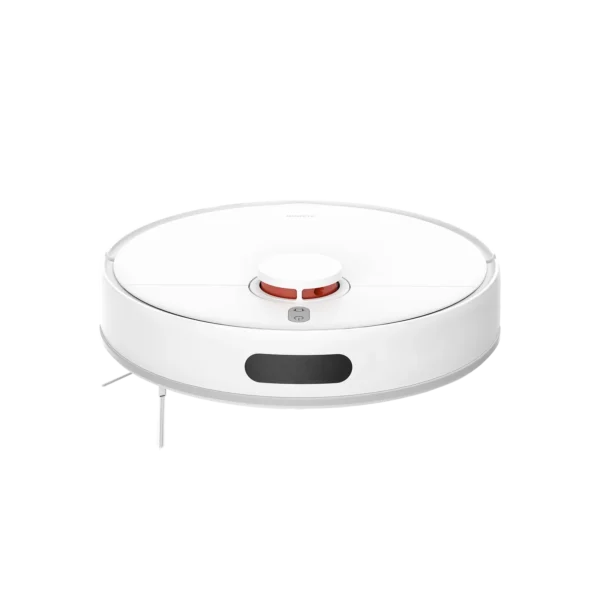
Choose between the Xiaomi Robot Vacuum S40C and E5 by how much navigation control your home needs. The S40C adds LDS laser mapping, room and zone controls, virtual walls and up to 5000Pa suction. The E5 is a simpler gyro-guided vacuum-and-mop model with app scheduling but no displayed or saved map. Both require floor preparation and manual bin, brush and mop care.
 Sale
Sale
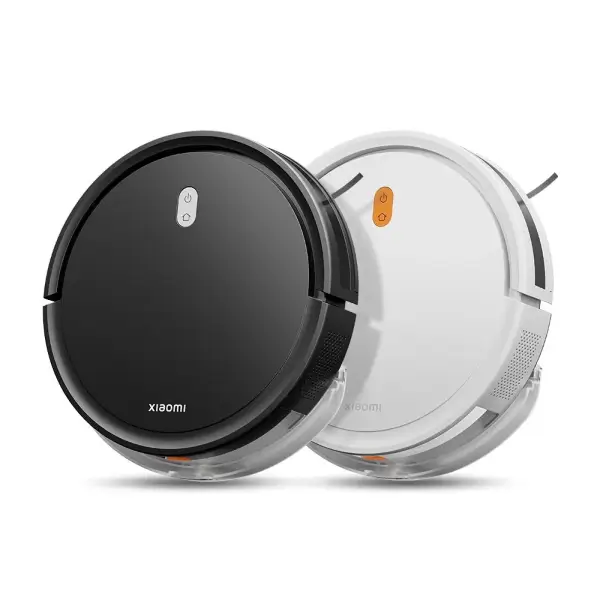
Xiaomi Robot Vacuum E5
In stock
S40C or E5: choose by navigation, not appearance
The S40C is the stronger fit for multi-room homes where you want a map in Xiaomi Home. Its LDS navigation supports room selection, cleaning zones and virtual walls, and its water tank offers three flow levels for mopping. It does not recognise small objects or carpets, so remove cables, toys and other hazards and manage rugs before a run.
The E5 suits simpler spaces and shoppers who want scheduled vacuuming and mopping without map editing. Its gyro-guided route is visible during a run but is not kept as a reusable map, so it does not offer room selection, zone cleaning or virtual walls. Neither model provides automatic mop washing, drying or bin emptying. Plan to empty the dust compartment, wash the mop pad and remove hair from brushes as part of routine care.
Latest Robot Vacuums Prices in Kenya 2026
| Product | Price in Kenya |
|---|---|
| Xiaomi Robot Vacuum S40C | KSh 22,499VAT exclusive |
| Xiaomi Robot Vacuum E5SALE | KSh 13,999 |
Frequently Asked Questions About Robot Vacuums
The S40C uses LDS laser mapping and supports room selection, zones and virtual walls in Xiaomi Home. The E5 uses gyro-guided navigation and offers app control and scheduling without a displayed or saved map. Choose the S40C when map control matters and the E5 for simpler routine cleaning.
No. The S40C builds a map that supports room and zone controls. The E5 can show its route during cleaning but does not provide a saved map, room editing, selected-room cleaning or virtual walls.
Prepare the floor before either model runs. The S40C does not recognise small objects or carpets, and the E5 does not automatically lift its mop. Remove cables and lightweight objects, and follow the model instructions for rugs and mopping areas.
The app is needed for remote controls and scheduling. It also provides the S40C's map, room, zone and virtual-wall features. The E5 connects for controls and schedules but does not gain saved-map functions through the app.
No. Empty the dust compartment, clean the brush and side brush, wash and dry the mop pad, and maintain filters according to the manual. Neither available model includes an automatic emptying or mop-washing dock.